Airpro AP 4500 SNMP configuration: Airpro 4500 configuration for snmp settings is shown in web GUI config mode. SNMP(Simple Network Management Protocol)
SNMP: an application-layer standard protocol used for monitoring and managing network-connected devices like routers, switches, servers, and printers. It operates on UDP ports 161/162, allowing administrators to track network performance, detect failures, and manage configurations, typically using v3 for security.
Steps to login and Configure Airpro AP 4500 in web GUI
Login to airpro switch through web GUI
connect PC/Laptop to the Airpro AP 4500 switch in RJ 45 port with utp cable. Assign static IP address in the series 192.168.100.xx (eg: 192.168.100.90) and subnet mask 255.255.255.0.
Enter ip address in browser, as shown in image below.
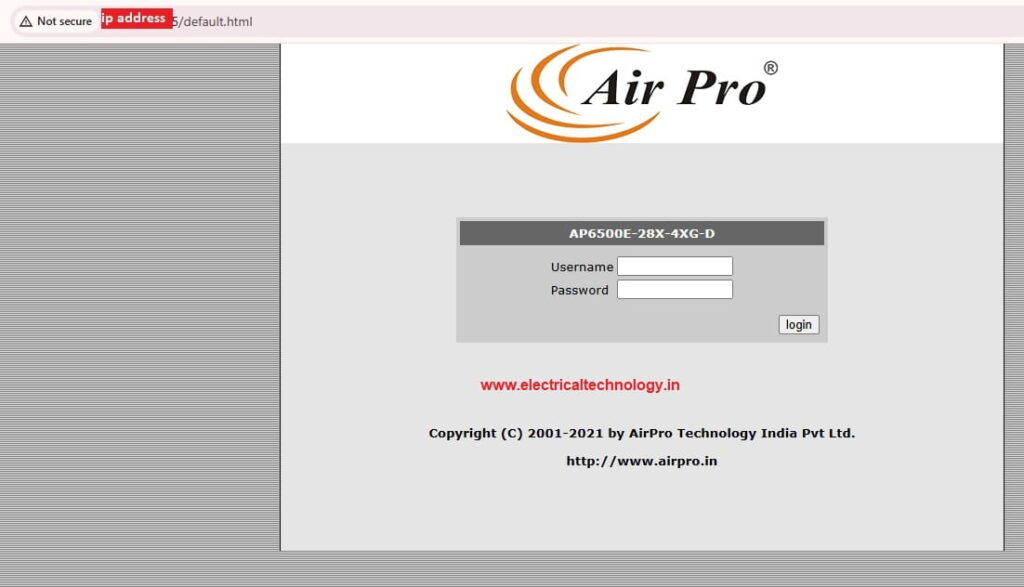
Default ip address 192.168.100.1
Login: admin
Password: admin
If you have already done the basic configuration of AP 4500 sw, and IP address assigned, that IP address can be used.
Airpro AP 4500 SNMP configuration
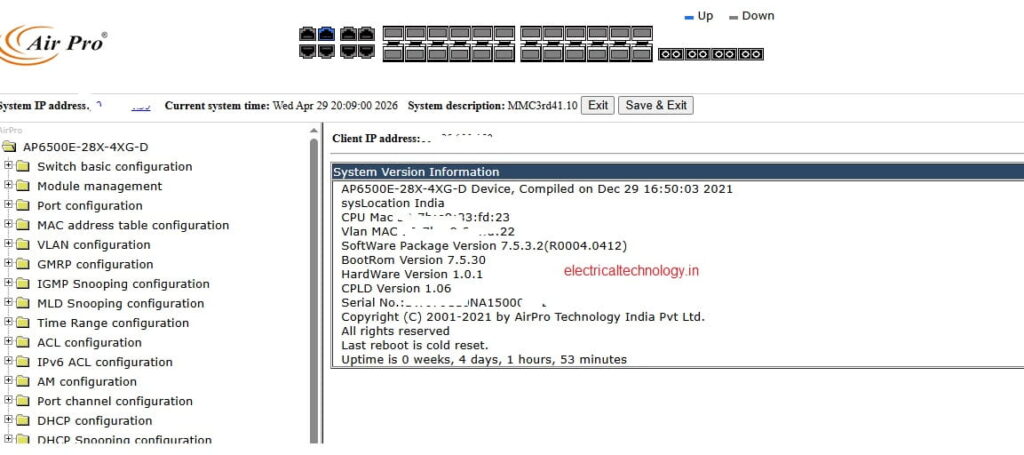
Go to switch configuration , then click on SNMP configuration as shown below.
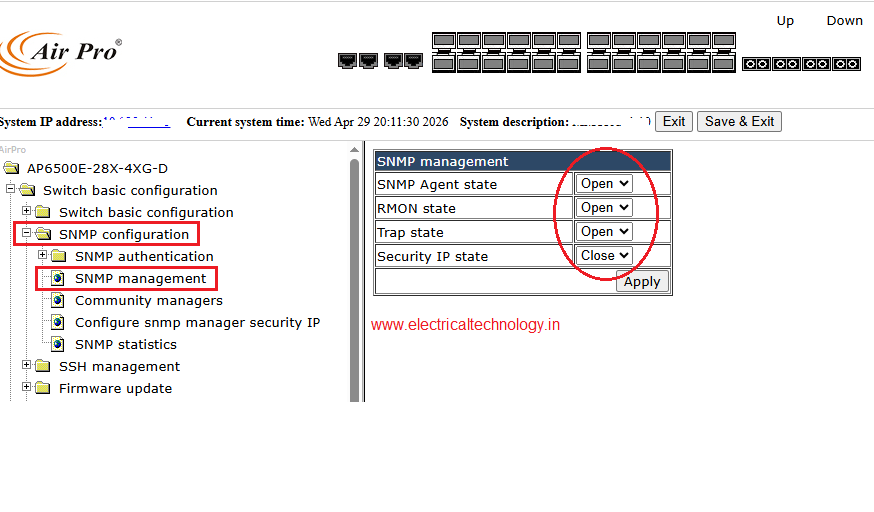
SNMP management
Click on SNMP management
choose the following options:
SNMP agent state – open
RMON –open
Trap State –open
Security IP State – close
Apply
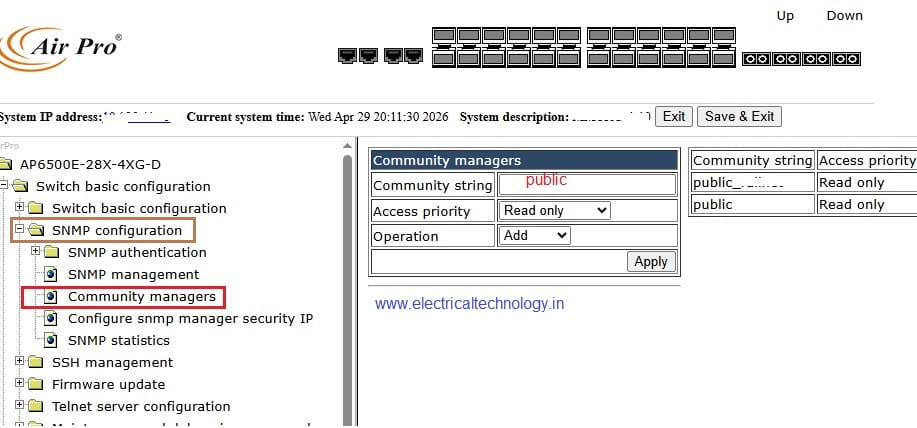
Click on Community managers
Community string – public (or give another name of ur choise)
Trap receiver- not manadatory
Snmp statistics also can be checked
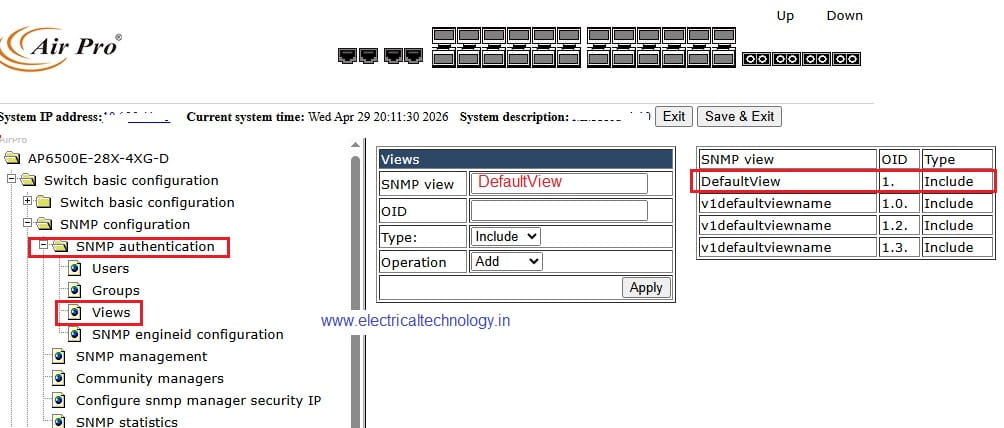
SNMP authetication:
Views
DefaultView OID -1 include
Engine ID configuration – Default apply
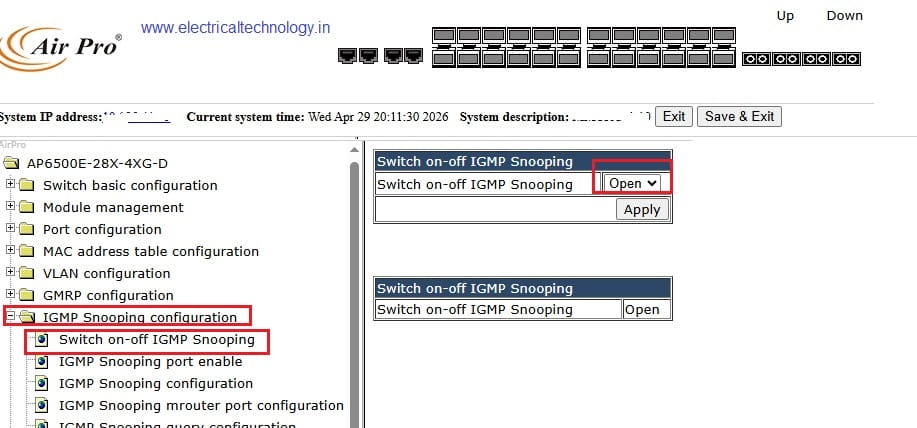
IGMP Snooping
Switch ON-OFF igmp snooping –OPEN
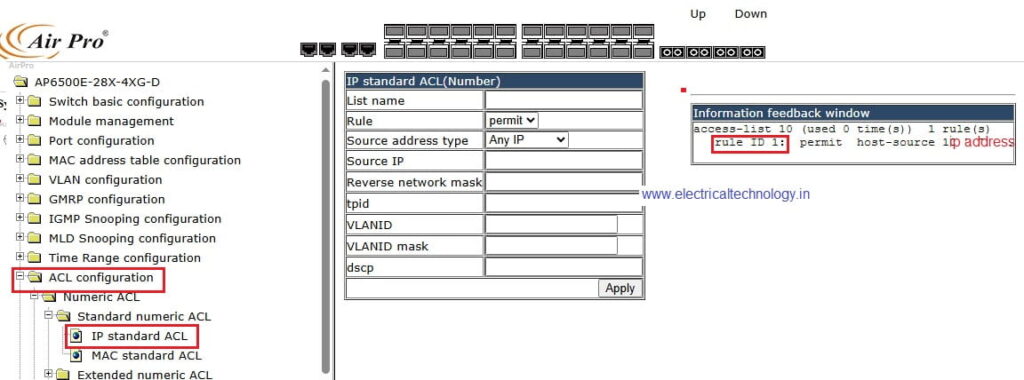
ACL Configuration
Numeric ACL
Standard numeric- IP standard ACL
Access-list 10 permit host IP address
Latest Posts
- Essential Networking Tools Every Network Technician Should Know
 Essential Networking Tools Every Network Technician Should Know: Network technicians use a variety of specialized tools to install, test, troubleshoot, and maintain network cables and communication systems. From preparing Ethernet …
Read moreEssential Networking Tools Every Network Technician Should Know
- How to Fix “You Aren’t Connected to Any Network” Error in Windows 10/11
 How to Fix “You Aren’t Connected to Any Network” Error in Windows 10/11: Are you seeing the “You Aren’t Connected to Any Network” message on your Windows 10 computer? This …
Read moreHow to Fix “You Aren’t Connected to Any Network” Error in Windows 10/11
- snmp configuration in cisco CBS 350 switch
 snmp configuration in cisco CBS 350 switch: The Cisco CBS 350 is a Small Business switch that can be configured for SNMP monitoring through its web-based management interface. snmp configuration …
 - Mobile Network Not Showing? Simple Settings to Fix Common SIM & Signal Problems
 Mobile Network Not Showing? Simple Settings to Fix Common SIM & Signal Problems: A mobile phone without a network connection can be frustrating, especially when calls, SMS messages, and mobile …
Read moreMobile Network Not Showing? Simple Settings to Fix Common SIM & Signal Problems
- Yes! The PC can work in Trunk port of a Managable switchHow pc can be connected in trunk port of managable switch: How to connect a PC/ Laptop to a trunk port of a Managable switch? Generally, in a PC RJ …
Read moreYes! The PC can work in Trunk port of a Managable switch
- Teamlink 721 Switch CLI configuration commands and Shortcut KeysTeamlink 721 Switch CLI configuration commands and Shortcut Keys: The Command Line Interface (CLI) is a medium for you to communicate with the TEAMLINK 721A. You can configure, monitor, and …
Read moreTeamlink 721 Switch CLI configuration commands and Shortcut Keys
- Airpro AP 4500 SNMP configuration|Airpro 4500 web GUI configAirpro AP 4500 SNMP configuration: Airpro 4500 configuration for snmp settings is shown in web GUI config mode. SNMP(Simple Network Management Protocol) SNMP: an application-layer standard protocol used for monitoring …
Read moreAirpro AP 4500 SNMP configuration|Airpro 4500 web GUI config
- SMPS Power plant for Telecom InstallationsSMPS Power plant for Telecom Installations: Power supply system is the heart of telecom systems & electronic equipments. For a reliable installation of telecom assets, reliable power supply system is …
- Commands for troubleshooting SFP optical levels OTDR testCommands for troubleshooting SFP optical levels OTDR test:To troubleshoot a link flapping port that has been err-disabled, use these diagnostic tools to isolate whether the fault lies in the fiber optics or …
Read moreCommands for troubleshooting SFP optical levels OTDR test
- [Solved]link flap cisco switch port error disabledlink flap cisco switch port error disabled: A Cisco switch port enters err-disabled state due to link flapping when the interface toggles up/down rapidly (typically 3+ times within 10 seconds), …
1 thought on “Airpro AP 4500 SNMP configuration|Airpro 4500 web GUI config”